How To Hard Reset / Remove Pattern Lock From Your Samsung Galaxy Win
 |
| Pattern Lock Remove From I8552 |
* Switch Off Your Device
* Take Out Your Sim And Memmory Card
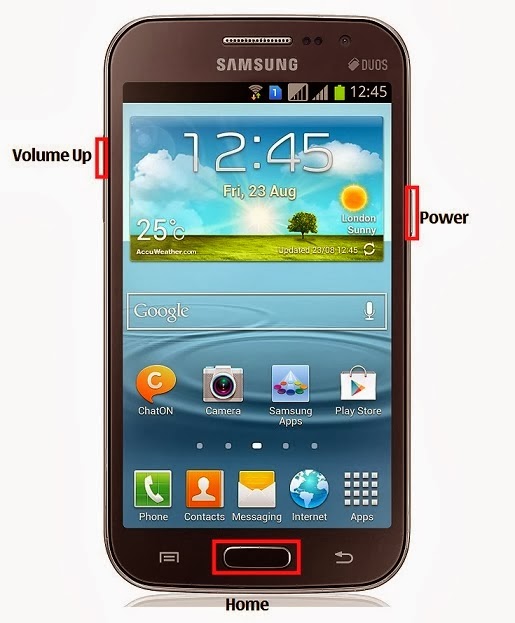
* Press And Hold Volume Up Key + Home Key + Then Power On Your Phone* Hold Pressing Keys. Release Power Button After 2-3 sec
* Then You Will Get Factory Reset Menu
* Select Wipe Data/ Factory Reset Option . Scroll Using Volume Key . Then Confirm Using Power Key
* By Select Yes Delete All User Data. Using Volume Down Key . Confirm It
* Wait Some Seconds. Then Select Reboot System Now Option And Confirm
* Now Your Phone Will Restarted. After Completing The Hard Reset Proses
* Done !
No comments:
Post a Comment