Showing posts with label camera. Show all posts
Showing posts with label camera. Show all posts
Tuesday, October 28, 2014
Nokia X6 Camera Slider Lock Volume Up and Volume Down Control Button Switches malfunction solution
Heres solution if something went wrong with Nokia X6 camera button and volume control switches that stop responding when being pressed. Button and switches may stop to function if being broken or damaged and sometimes cause by an oxidation. Simply by replacing it will fix the problem.
If the said button switch is okay seems working but still unresponsive you may then consider that the problem may lies on a faulty circuit components on the PCB board.
This solution below shows the line paths of each particular button switches of the camera, slider lock and the volume up and volume down buttons.
 Repair Hints:
Ensure that the button switches is perfectly clean and working okay.
There is an EMI-ESD filter IC is connected to each button switches line paths., Check this filter IC and trace the corresponding button switches line paths first before trying to replace it.
The Volume up control switch is connected directly to the I/O expander chip, you may check and rework this
chip if only the volume up is not working without touching the ESD filter IC.
ReadHere..
If the said button switch is okay seems working but still unresponsive you may then consider that the problem may lies on a faulty circuit components on the PCB board.
This solution below shows the line paths of each particular button switches of the camera, slider lock and the volume up and volume down buttons.
Nokia X6 Camera, Slider Lock, Volume Up and Volume Down Repair solution

Ensure that the button switches is perfectly clean and working okay.
There is an EMI-ESD filter IC is connected to each button switches line paths., Check this filter IC and trace the corresponding button switches line paths first before trying to replace it.
The Volume up control switch is connected directly to the I/O expander chip, you may check and rework this
chip if only the volume up is not working without touching the ESD filter IC.

Monday, August 25, 2014
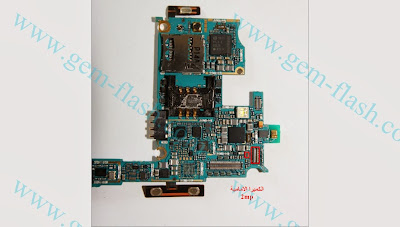
Samsung I9100 GalaxyS2 Front Camera Not Working fix problem
Tuesday, August 19, 2014
Asha 203 Asha 202 Camera Ways how to fix problem
This post is for Nokia Asha 203 and Nokia Asha 202 Camera Problem Solution. This solution works for both models.
In Nokia Asha 202 Camera Problem problem can occur because of the faulty Camera Module or broken Camera Connector. So first of all you should clean Nokia Asha 202 Camera Connector Ways and Motherboard of the Mobile Phone. If that does not work then you can replace the Camera Module. If in any case you have broken any of the camera connectors legs, I have marked all of Nokia Asha 202 Camera Connector Ways in this diagram.
Please Note that we will edit these solutions or add new ones if found in this page at any time in the future. So feel free to come back any time on this page to stay up to date.

If you have further Questions please dont hesitate to leave a comment.
Note: Every repairing solution posted here is tested by at least one member of our team. Use the information available here at Your Own Risk. We are not responsible if any harm comes to your device during the repairing process.
Saturday, August 16, 2014

Subscribe to:
Posts (Atom)